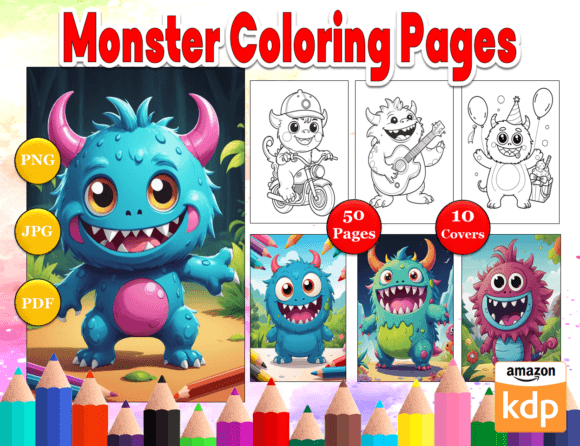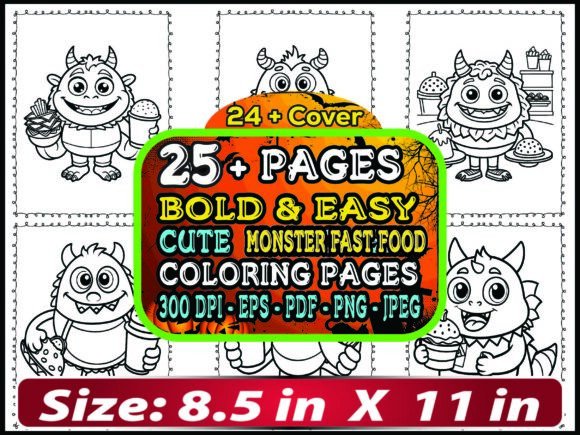
Cute Monster Coloring Pages for Kids
Coloring isn’t just play—it’s a quiet engine for focus, fine motor development, and emotional expression in children. That’s why Cute Monster Coloring Pages for Kids continue to resonate with parents, educators, and creators alike. These aren’t spooky or intimidating figures—they’re friendly, expressive, and full of whimsy: smiling goblins with polka-dot horns, sleepy-eyed ogres holding cupcakes, or tiny ghosts wearing bowties. The charm lies in their approachability—and the versatility they offer digital product creators building printable resources for real-world use.
Why This Bundle Stands Out—And What It Really Delivers
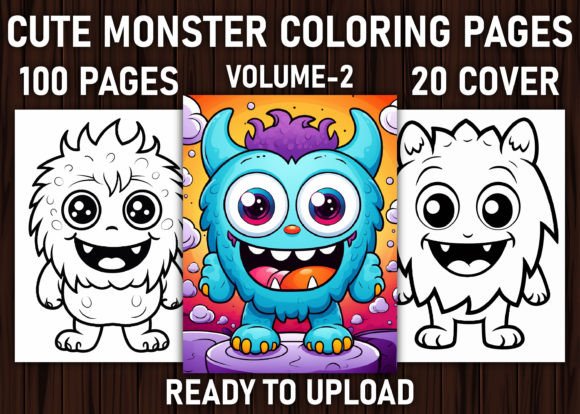
The 100 Cute Monster Coloring Pages For Kids Volume-2 bundle is designed for practicality first. You receive 100 original black-and-white line art pages—each sized at 8.5″ × 11″ with no bleed—optimized for home printers and professional print-on-demand (POD) workflows. All interiors are delivered in three formats: print-ready PDFs, high-resolution JPGs, and transparent-background PNGs—all at 300 DPI. Plus, you get 20 premium book cover illustrations in PNG format, also at 300 DPI, ready for KDP or Etsy storefronts.
This isn’t generic clipart repackaged. These are AI-generated illustrations refined in Adobe Illustrator—meaning clean vectors, consistent line weights, and intentional negative space for coloring. Yes, they’re AI-assisted—but the post-processing matters. That refinement makes the difference between “just okay” and “KDP-ready.”
Common Missteps When Using Cute Monster Coloring Pages for Kids
Many creators jump in without checking foundational details—and that leads to avoidable friction down the line. Here are the most frequent oversights—and how to sidestep them:
- Assuming all files are print-ready without verification. Even with 300 DPI claims, some JPGs may contain embedded compression artifacts or subtle color shifts. Always open one or two pages in a viewer like Adobe Acrobat or Preview and zoom to 200%—look for jagged edges, inconsistent linework, or faint gray halos around lines. If found, re-export from the PDF source instead of using the JPG directly.
- Overlooking interior file structure before uploading to KDP. KDP expects a single PDF with consecutive, correctly ordered pages—including title, copyright, and interior content. Don’t assume the ZIP contains a pre-assembled book file. You’ll likely need to compile your own PDF using the included JPGs or PDFs. Use free tools like PDFsam Basic or Adobe Acrobat’s Combine Files feature—never drag-and-drop into Word and save as PDF (this often degrades resolution).
- Misusing the PNG book covers for KDP. While the 20 PNG covers are high-res and transparent-background enabled, KDP requires JPEG or PDF for cover uploads—and doesn’t accept transparency. Before uploading, open each PNG in Photoshop or a free alternative like Photopea, add a white background layer, and export as JPEG (sRGB, high quality). Skipping this step triggers KDP’s auto-background fill—which can blur text or distort proportions.
- Ignoring age-appropriateness during selection. Not every cute monster works for every age group. A 4-year-old benefits from bold outlines and large, uncluttered shapes; a 9-year-old may enjoy more detail—like patterned scales or layered accessories. Scan through the 100 pages and group them mentally: 30–40 for early learners, 30–40 for mid-elementary, and 20–30 for confident colorists. Then sequence your book intentionally—not randomly.
What to Check Before You Buy—or Build With—This Bundle
Before downloading or integrating these Cute Monster Coloring Pages for Kids into your project, ask yourself three things:
- Are the lines consistently bold enough? Test-print one page on standard copy paper. Hold it at arm’s length—if outlines fade or appear broken, that page may not translate well on lower-end printers or older devices. Aim for minimum 1.5 pt line weight on key contours.
- Do any monsters unintentionally resemble copyrighted characters? While AI generation helps avoid direct duplication, stylistic echoes happen—especially with common tropes (e.g., round body + big eyes + three fingers). Flip through all 100 pages and flag anything that feels *too* familiar. When in doubt, tweak a feature: change a hat shape, rotate an antenna, or adjust eye spacing in Illustrator.
- Is there variety in composition—not just character design? Great coloring books balance full-page monsters, scene-based pages (e.g., “monster picnic”), and border frames. Skim thumbnails: do you see repeating layouts? If over half are centered solo figures with blank backgrounds, consider supplementing with 5–10 custom scene pages (even simple ones like “monster under a rainbow” or “cute monster tea party”) to increase perceived value.
Realistic Expectations—and How to Elevate the Output
Yes, these are AI-generated. And yes, minor imperfections may exist—like a stray anchor point in a curve or a slightly uneven stroke where two paths meet. But those aren’t dealbreakers; they’re editing opportunities. Most flaws vanish with a 30-second cleanup in Illustrator: use the Smooth Tool, simplify paths, or manually adjust Bezier handles. Think of the files as strong raw material—not finished art.
For educators or therapists: pair pages with simple prompts (“Draw what your monster does on Saturday!” or “Color only the parts that feel happy”) to deepen engagement. For entrepreneurs: bundle 25 pages with a themed activity guide (e.g., “Cute Monster Emotions Workbook”) to justify a higher price point than a plain coloring book.
Bottom line? Cute Monster Coloring Pages for Kids work best when treated as a flexible, editable foundation—not a plug-and-play solution. Their strength isn’t perfection. It’s consistency, scalability, and the cheerful tone that invites both kids and adults to pause, create, and connect.